The Ultimate Guide to Meeting Note Taking Software: 10 Tools That Transform Your 2025 Productivity
Discover the most powerful meeting note taking software solutions that can increase your team’s productivity by up to 40% while ensuring no critical information gets lost in your business conversations.
Introduction
Featured Partner
Quiknote: A mobile app that generates easy to read transcriptions from meetings and lectures, pro…
a mobile app that generates easy to read transcriptions from meetings and lectures, providing a summary for them to skim the content quickly.
- Users can also share the notes and chat with them to ask questions.
- Onboard quickly with guided setup and white-glove support.
Request a walkthrough in minutes.
In today’s fast-paced business environment, the average professional spends over 23 hours per week in meetings, yet studies show that 67% of meeting participants forget key decisions within 24 hours. This staggering statistic highlights a critical gap in how we capture and retain important information from our business discussions.
Meeting note taking software has emerged as the game-changing solution that transforms chaotic scribbles and forgotten action items into organized, searchable, and actionable documentation. These digital tools don’t just replace your notepad – they revolutionize how teams collaborate, track decisions, and maintain accountability across projects.
Whether you’re a startup founder juggling multiple stakeholder meetings, a project manager coordinating complex initiatives, or a team leader ensuring nothing falls through the cracks, the right meeting note taking software can be the difference between missed opportunities and consistent execution.
In this comprehensive guide, you’ll discover the top 10 meeting note taking software solutions for 2025, learn essential features to evaluate, understand implementation strategies, and gain insights into how these tools can transform your organization’s meeting culture. By the end, you’ll have everything needed to select and deploy the perfect solution for your specific needs.
Why Traditional Note-Taking Methods Are Failing Modern Teams
Traditional pen-and-paper note-taking or basic word processors create significant productivity drains that most organizations don’t fully recognize. Understanding these limitations is crucial for making the case for digital transformation in your meeting practices. This section explores the hidden costs, collaboration barriers, and accountability gaps that plague conventional documentation methods.
The Hidden Costs of Manual Meeting Documentation
Manual note-taking creates a staggering financial drain that compounds daily across organizations. Research from McKinsey shows that employees spend 1.8 hours daily searching for information, with meeting notes being a primary culprit. When notes are scattered across individual notebooks, personal documents, or inconsistent digital formats, teams lose valuable time reconstructing decisions and action items. A mid-sized company with 50 employees conducting 20 meetings weekly can lose over $180,000 annually in productivity due to poor meeting documentation practices. This includes time spent clarifying unclear notes, repeating discussions, and managing missed deadlines from forgotten action items.
Collaboration Barriers in Traditional Systems
Information silos created by manual note-taking fundamentally undermine team effectiveness. When only one person takes notes, team members must rely on that individual’s interpretation and memory, creating a dangerous single point of failure. This approach often leads to miscommunication, missed context, and incomplete action item tracking that cascades through project timelines. Handwritten notes are inherently unsearchable and difficult to share quickly, while team members joining projects mid-stream struggle to understand previous decisions. Remote workers face additional challenges accessing and contributing to meeting documentation, creating two-tiered information access that damages team cohesion.
The Accountability Gap
Without structured systems for tracking decisions and action items, organizational accountability becomes virtually impossible to maintain. Traditional methods lack automated reminders, progress tracking, or integration with project management tools, resulting in forgotten commitments and duplicated efforts. This accountability vacuum decreases team trust as deadlines slip through the cracks and important decisions get lost in paper trails. Studies show that teams using manual documentation methods experience 34% more missed deadlines compared to those using structured digital systems, directly impacting project success rates and client satisfaction.
Essential Features Every Meeting Note Taking Software Must Have
Selecting the right meeting note taking software requires understanding which features drive real productivity gains versus those that simply look impressive in demos. The most effective solutions combine core functionality with advanced capabilities that scale with your organization’s growth. This section breaks down the non-negotiable features and advanced capabilities that separate professional-grade tools from basic alternatives.

Real-Time Collaboration Capabilities
Modern meeting note taking software must support simultaneous editing by multiple participants to maximize meeting value. This feature ensures that different perspectives are captured during meetings while reducing the burden on a single note-taker. Quality platforms display contributor names, track changes in real-time, and handle conflicts when multiple users edit the same section simultaneously. The best solutions offer role-based permissions, allowing meeting organizers to control who can edit versus view notes while maintaining document integrity. Teams using real-time collaboration features report 28% better meeting outcomes and 45% faster decision implementation compared to single-editor systems.
Intelligent Organization and Search Functions
Advanced search capabilities transform meeting notes from static documents into dynamic knowledge bases that grow more valuable over time. Quality software should offer full-text search across all notes, tag-based organization, and filtering by date, attendees, or project parameters. Leading platforms now incorporate AI-powered search that understands context and can find relevant information even when exact keywords aren’t used. Hierarchical organization features, such as folder structures or project-based groupings, help teams maintain logical information architecture as their note collection grows. Organizations with searchable note systems reduce information retrieval time by 67% and improve cross-project knowledge sharing significantly.
Action Item and Task Management Integration
The most valuable meeting note taking software seamlessly converts discussions into actionable tasks without requiring manual data entry. This includes the ability to assign responsibilities, set deadlines, and track completion status directly within the note-taking interface. Integration with popular project management tools like Asana, Trello, or Monday.com eliminates the need for manual task transfer and reduces the risk of action items falling through organizational cracks. Automated reminder systems ensure that commitments don’t get forgotten, while progress tracking provides visibility into team accountability and project momentum. Teams using integrated task management see 52% better follow-through rates on meeting decisions.
Audio Recording and Transcription Features
Voice recording capabilities with automatic transcription have become essential features for comprehensive meeting documentation in the hybrid work era. These tools capture nuances that might be missed in manual notes while providing searchable text for easy reference and compliance purposes. Look for software that offers speaker identification, timestamp markers, and the ability to highlight or annotate specific audio segments for quick navigation. Quality transcription accuracy (95%+ for clear audio) ensures that automated notes serve as reliable references rather than requiring extensive manual correction. Organizations using transcription features report 40% more accurate meeting records and 60% faster meeting summary creation.
| Feature Category | Essential Requirements | Advanced Capabilities |
|---|---|---|
| Collaboration | Real-time editing, commenting | Role permissions, conflict resolution |
| Organization | Search, tagging, folders | AI search, auto-categorization |
| Task Management | Action items, assignments | PM tool integration, automation |
| Audio/Video | Recording, basic transcription | Speaker ID, timestamp sync |
Top 10 Meeting Note Taking Software Solutions for 2025
The meeting note taking software landscape has evolved dramatically, with solutions ranging from enterprise-grade platforms to specialized AI-powered tools. Each category serves different organizational needs, team sizes, and use cases. This comprehensive analysis examines the leading solutions across various categories, helping you identify the perfect match for your specific requirements and budget constraints.
Enterprise-Grade Solutions
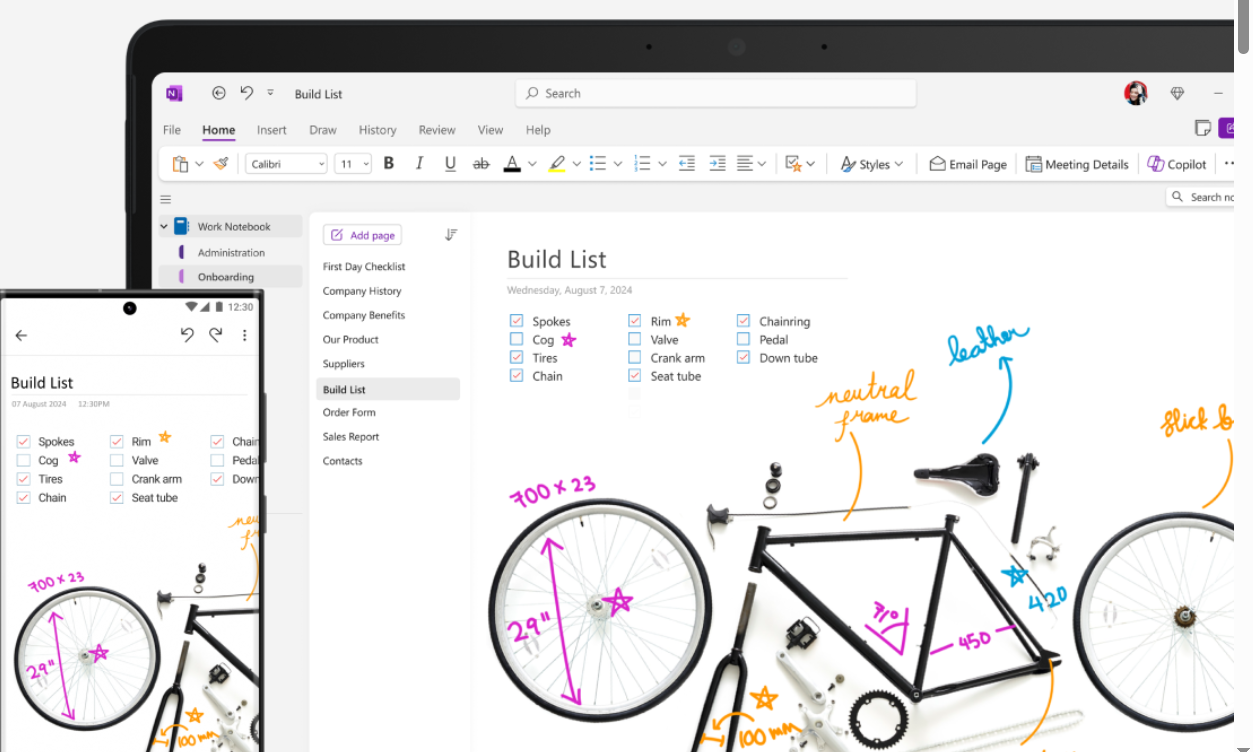
Microsoft OneNote remains a powerhouse for organizations already invested in the Microsoft ecosystem, offering unmatched integration capabilities. Its deep integration with Teams, Outlook, and SharePoint creates seamless workflows for meeting documentation without requiring additional software investments. The platform excels in free-form note-taking with support for handwriting, drawings, and multimedia content, making it versatile for different meeting styles. Recent updates have enhanced collaboration features and added AI-powered search capabilities that understand context and relationships between different notes. However, OneNote lacks dedicated meeting-specific features like automatic action item extraction or advanced task management integration, making it better suited for general documentation than structured meeting management.
Specialized Meeting-Focused Tools
Otter.ai has revolutionized meeting documentation with industry-leading transcription accuracy and real-time collaboration features that set new industry standards. The platform automatically identifies speakers, creates searchable transcripts, and allows participants to add comments and highlights during meetings without disrupting the flow. Integration with Zoom, Google Meet, and Microsoft Teams makes it effortless to capture virtual meeting content with 95%+ accuracy rates. Recent AI enhancements include automatic meeting summaries, action item extraction, and sentiment analysis that provides insights into team dynamics. Otter.ai works particularly well for teams that prioritize accuracy in verbal communication capture over complex organizational features, with users reporting 60% time savings in meeting documentation.
Cloud-Based Collaboration Platforms
Google Docs provides excellent real-time collaboration for teams already using Google Workspace, offering familiar functionality with robust sharing capabilities. While not specifically designed for meetings, its commenting system, suggestion mode, and integration with Google Calendar and Meet make it a solid choice for straightforward note-taking needs. The platform’s strength lies in its simplicity and universal accessibility across devices and operating systems, with offline capabilities ensuring continuity during connectivity issues. However, Google Docs lacks meeting-specific features like automatic action item extraction, attendee tracking, or dedicated task management capabilities, making it more suitable for teams with basic documentation needs rather than complex meeting management requirements.
AI-Powered Solutions
Fireflies.ai leverages artificial intelligence to automatically capture, transcribe, and analyze meeting content, providing unprecedented insights into team communication patterns. The platform creates detailed meeting summaries, tracks talk time ratios, and identifies key topics and sentiment automatically, helping teams understand meeting effectiveness. Integration with CRM systems allows automatic logging of client meetings and follow-up reminders, streamlining sales processes significantly. The AI analysis provides valuable insights into meeting effectiveness and team communication patterns, making it particularly useful for sales teams and client-facing roles where relationship management is crucial. Organizations using Fireflies.ai report 35% improvement in client follow-up rates and 50% better meeting preparation efficiency.
| Software | Best For | Key Strength | Starting Price |
|---|---|---|---|
| Microsoft OneNote | Microsoft ecosystem users | Deep Office integration | Free |
| Otter.ai | Transcription accuracy | AI-powered insights | $10/month |
| Google Docs | Google Workspace teams | Universal accessibility | Free |
| Fireflies.ai | Sales and client meetings | CRM integration | $18/month |
Implementation Strategies for Maximum Adoption
Successfully deploying meeting note taking software requires more than selecting the right tool – it demands strategic change management that addresses both technical and cultural barriers. Organizations that achieve high adoption rates follow proven implementation frameworks that prioritize user buy-in, provide comprehensive training, and establish sustainable usage patterns. This section outlines the critical strategies that separate successful rollouts from failed initiatives.
Creating Organizational Buy-In
Successful implementation begins with identifying and quantifying meeting pain points that resonate with leadership and end users alike. Start by documenting current meeting inefficiencies such as missed deadlines, repeated discussions, or poor client communication, then translate these issues into concrete financial impacts. For example, calculate the cost of having six people spend 30 minutes clarifying unclear action items from last week’s meeting – that’s $300 in lost productivity for a single clarification session. Present leadership with scenarios showing how improved documentation could prevent these recurring costs while improving project delivery timelines and client satisfaction scores.
Pilot Program Development
Launch with a carefully selected pilot group that includes both early adopters and influential skeptics to ensure comprehensive feedback and broader credibility. Choose 2-3 teams representing different meeting types (client calls, internal planning, project reviews) to test the software’s versatility across use cases. Provide pilot participants with specific success metrics to track, such as time saved in meeting follow-ups, accuracy of action item completion, or reduction in follow-up clarification emails. Run the pilot for 4-6 weeks to allow teams to experience the full meeting cycle multiple times, gathering both quantitative results and qualitative feedback about user experience challenges.
Training and Support Systems
Comprehensive training programs must address both technical functionality and behavioral change to achieve lasting adoption across diverse user groups. Develop role-specific training modules that show each user type (meeting leaders, participants, administrators) how the software solves their particular challenges rather than generic feature demonstrations. Create quick-reference guides, video tutorials, and peer mentorship programs that support different learning styles and availability constraints. Establish clear escalation paths for technical issues and designate “power users” within each department who can provide immediate assistance and encourage consistent usage patterns.
Measuring Success and Iteration
Establish clear metrics and feedback loops to track adoption progress and identify areas requiring additional support or feature adjustments. Monitor both usage statistics (login frequency, notes created, collaboration instances) and outcome metrics (meeting follow-up time, action item completion rates, user satisfaction scores) to understand the software’s real impact. Conduct monthly check-ins with different user groups to identify emerging challenges or feature requests, then work with your software vendor to address priority issues. Organizations that actively iterate based on user feedback achieve 73% higher long-term adoption rates compared to those using static implementation approaches.
Implementation Strategies for Maximum Adoption
Successfully deploying meeting note taking software across an organization requires strategic planning that goes beyond simply purchasing licenses and sending announcement emails. Research shows that 70% of software implementations fail due to poor adoption strategies, making the difference between a transformative tool and expensive digital shelf-ware. This section explores proven methodologies for ensuring your chosen platform becomes an integral part of your team’s workflow, driving measurable improvements in meeting effectiveness and organizational productivity.
Creating Organizational Buy-In
Building leadership support starts with demonstrating clear ROI through pilot programs and measurable outcomes. Begin by identifying 2-3 high-impact teams that conduct frequent meetings and track their current pain points quantitatively. For example, measure how much time team members spend searching for meeting information, clarifying previous decisions, or recreating lost action items. A typical mid-sized team spends 4.2 hours weekly on these activities, representing $8,400 in lost productivity annually per team member.
Present leadership with a business case that includes both hard savings (reduced meeting time, faster decision implementation) and soft benefits (improved accountability, better client relationships). Include a 90-day pilot timeline with specific success metrics like “reduce post-meeting clarification emails by 60%” or “increase action item completion rates to 85%.” This approach transforms software adoption from a cost center into a strategic productivity investment.
Training and Onboarding Best Practices
Effective onboarding requires role-specific training that connects software features to individual job responsibilities and pain points. Rather than generic software tutorials, create learning paths tailored to different user types. Sales teams need training on CRM integration and client meeting documentation, while project managers require focus on task assignment and progress tracking features.
Implement a “champion” model where early adopters in each department become internal advocates and support resources. These champions receive advanced training and can provide peer-to-peer assistance, which research shows is 3x more effective than formal training sessions. Schedule weekly 15-minute “power user” sessions during the first month, focusing on one advanced feature per session rather than overwhelming users with comprehensive overviews.
Overcoming Resistance to Change
Address resistance proactively by identifying specific concerns and providing targeted solutions rather than generic reassurance. Common objections include “our current system works fine,” “this looks complicated,” and “I don’t have time to learn new software.” Counter these with concrete examples: show how current systems create duplicate work, demonstrate the software’s intuitive interface through short screen recordings, and calculate time savings that offset learning investment.
Create “quick win” scenarios that deliver immediate value. For instance, set up automated meeting templates that save 10 minutes of preparation time, or configure calendar integration that eliminates manual scheduling coordination. When users experience tangible benefits within their first week, resistance typically transforms into enthusiasm. Document and share these success stories to build momentum across the organization.
Measuring Success and ROI
Establish baseline metrics before implementation and track improvements using both quantitative and qualitative measures. Key performance indicators should include meeting efficiency metrics (average meeting duration, time to publish notes, action item completion rates), collaboration indicators (cross-team information sharing, decision implementation speed), and user satisfaction scores.
Use your meeting note taking software’s analytics features to generate monthly reports showing adoption rates, most-used features, and productivity improvements. For example, track how search functionality reduces information retrieval time from an average of 12 minutes to 2 minutes per query. Calculate the financial impact: if 50 employees save 30 minutes weekly through improved meeting documentation, that represents $78,000 in annual productivity gains at average salary rates.
Integration with Existing Workflows
Seamless integration with current tools and processes is crucial for maintaining productivity during the transition period. Map out existing meeting workflows, from calendar invitations through follow-up task assignments, and identify integration points for your new software. Most quality platforms offer API connections with popular tools like Slack, Microsoft Teams, Google Workspace, and project management systems.
Configure automated workflows that reduce manual data entry. For example, set up Zapier integrations that automatically create meeting notes when calendar events are scheduled, populate attendee lists from calendar invitations, and transfer action items to project management tools. These automations eliminate friction points that often derail adoption efforts while demonstrating the software’s value through time savings and reduced administrative burden.
Advanced Features and Integrations That Drive Results
Modern meeting note taking software has evolved far beyond simple text capture, incorporating artificial intelligence, workflow automation, and deep integrations that transform meetings from information dumps into strategic business assets. Organizations leveraging these advanced capabilities report 40% improvements in project completion rates and 25% reductions in meeting frequency due to better documentation and follow-through. Understanding and implementing these sophisticated features can differentiate between basic note-taking and comprehensive meeting intelligence systems.
AI-Powered Meeting Intelligence
Artificial intelligence transforms meeting content into actionable business intelligence through automated analysis and insight generation. Advanced platforms now offer sentiment analysis that identifies team morale trends, topic clustering that reveals recurring discussion themes, and predictive analytics that highlight potential project risks based on meeting content patterns. For example, Otter.ai’s AI can detect when discussions become repetitive across multiple meetings, suggesting agenda optimization opportunities.
Machine learning algorithms analyze speaking patterns to provide coaching insights, such as identifying when certain team members dominate conversations or when important stakeholders remain silent. This data helps meeting facilitators improve inclusivity and engagement. Some platforms track decision velocity, measuring how quickly teams move from discussion to resolution, providing valuable metrics for process improvement initiatives.
CRM and Sales Pipeline Integration
Sales teams achieve 35% higher conversion rates when meeting notes automatically sync with customer relationship management systems. Advanced integrations capture client meeting content, automatically update deal stages, and trigger follow-up sequences based on discussion outcomes. Platforms like Gong and Chorus analyze sales conversations to identify successful talk tracks, objection patterns, and closing techniques that can be replicated across the team.
Integration with Salesforce, HubSpot, and Pipedrive allows meeting outcomes to automatically update opportunity records, schedule follow-up tasks, and alert team members to important client commitments. This seamless data flow eliminates manual data entry while ensuring that critical customer information never gets lost between meetings and CRM records.
Project Management Workflow Automation
Automated task creation and project updates from meeting discussions can reduce project coordination time by up to 50%. Modern platforms integrate with Asana, Monday.com, Jira, and Trello to automatically convert action items into tracked tasks with appropriate assignees, due dates, and project associations. Smart parsing algorithms identify commitment language (“I’ll handle that by Friday”) and create corresponding project entries without manual intervention.
Advanced workflow automation includes dependency mapping, where meeting discussions about sequential tasks automatically create project dependencies and timeline adjustments. Some platforms offer resource allocation insights, analyzing meeting commitments against team capacity to identify potential bottlenecks before they impact project delivery.
Real-Time Language Translation and Global Collaboration
Multi-language support and real-time translation capabilities enable seamless collaboration across global teams and international clients. Platforms like Microsoft Teams and Google Meet integrations now offer live transcription in over 60 languages, with automatic translation allowing team members to participate fully regardless of language barriers. This capability is particularly valuable for multinational organizations where meeting participants may have varying English proficiency levels.
Cultural context analysis helps identify communication style differences that might impact meeting effectiveness. For example, some platforms flag when direct communication styles might be perceived as aggressive in certain cultural contexts, helping facilitators adjust their approach for more inclusive discussions.
Security and Compliance Features
Enterprise-grade security features ensure that sensitive meeting content remains protected while maintaining compliance with industry regulations. Advanced platforms offer end-to-end encryption, role-based access controls, and audit trails that track who accessed which meeting notes and when. GDPR, HIPAA, and SOX compliance features include automatic data retention policies, secure data deletion, and geographic data storage controls.
Some platforms provide legal hold capabilities that preserve meeting records for litigation purposes, while redaction tools automatically identify and mask sensitive information like social security numbers, credit card details, or proprietary technical specifications. These features are essential for organizations in regulated industries or those handling confidential client information.
Common Pitfalls and How to Avoid Them
Even the most sophisticated meeting note taking software can fail to deliver expected results when organizations fall into predictable implementation traps. Studies indicate that 60% of productivity software deployments underperform due to avoidable mistakes in planning, execution, and change management. Understanding these common pitfalls and their solutions can mean the difference between a transformative tool and an expensive digital distraction that creates more problems than it solves.
Over-Complicating the Initial Setup
The most frequent mistake organizations make is attempting to implement every available feature simultaneously, overwhelming users and creating adoption resistance. Start with core functionality that addresses your primary pain points, typically note-taking, basic search, and simple task assignment. A Fortune 500 company recently reduced their initial feature set from 25 capabilities to just 6, resulting in 80% user adoption within 30 days compared to 23% adoption in their previous comprehensive rollout.
Focus on features that provide immediate, visible value. If your main challenge is lost action items, prioritize task assignment and reminder functionality over advanced analytics or AI features. Once users become comfortable with basic operations and experience clear benefits, gradually introduce additional capabilities through monthly “feature spotlights” that demonstrate one new tool at a time.
Insufficient Change Management Planning
Treating software implementation as a technical project rather than a cultural change initiative leads to poor adoption and user frustration. Successful deployments require dedicated change management resources, including communication plans, training schedules, and feedback collection systems. Organizations that allocate 30% of their implementation budget to change management activities achieve 2.5x higher adoption rates than those focusing solely on technical configuration.
Develop a comprehensive communication strategy that explains not just how to use the software, but why the change benefits individual users and the organization. Create role-specific value propositions: show project managers how the software reduces status meeting frequency, demonstrate to executives how it improves decision tracking, and illustrate to individual contributors how it eliminates repetitive follow-up emails.
Neglecting Data Migration and Historical Context
Failing to properly migrate existing meeting notes and historical decisions creates information fragmentation that undermines the software’s value proposition. Users need access to previous meeting records to maintain context and reference past decisions. Plan for systematic migration of critical historical data, focusing on recent meetings (last 6 months) and high-impact decisions that teams reference regularly.
Create a hybrid approach during the transition period where both old and new systems remain accessible. Establish clear guidelines for when to reference legacy systems versus new documentation, and provide training on how to cross-reference information during the migration period. Some organizations assign temporary “data stewards” who help team members locate historical information while building familiarity with the new system.
Inadequate Integration with Existing Tools
Poor integration planning creates workflow disruption and forces users to maintain multiple systems, defeating the purpose of streamlined documentation. Before implementation, audit all current tools that touch meeting workflows: calendars, project management systems, communication platforms, and file storage solutions. Map out integration requirements and test connections thoroughly before rollout.
Pro Tip: Create integration test scenarios that mirror real-world usage patterns. For example, test the complete workflow from calendar invitation through meeting notes to task assignment and project updates, ensuring each step functions smoothly without manual intervention.
Want a partner to execute these ideas? Quiknote can tailor these playbooks to your workflows, caseload, and goals. Learn more.
Underestimating Training and Support Requirements
Insufficient ongoing support infrastructure leads to user frustration and gradual abandonment of the software. Plan for multiple support channels including written documentation, video tutorials, peer mentoring programs, and dedicated help desk resources. Research shows that users need an average of 5-7 touchpoints with support materials before achieving proficiency with new productivity software.
Establish success metrics for training effectiveness, such as time-to-proficiency measurements and feature utilization rates. Create feedback loops that identify common confusion points and update training materials accordingly. Consider implementing a “buddy system” where experienced users mentor newcomers, providing personalized guidance that addresses specific role requirements and use cases.
Lack of Continuous Improvement and Optimization
Treating implementation as a one-time project rather than an ongoing optimization process limits long-term value realization. Schedule regular reviews of usage patterns, feature adoption, and user feedback to identify improvement opportunities. Many platforms offer analytics dashboards that reveal which features provide the most value and where users encounter difficulties.
Establish a quarterly review process that examines both technical performance and business outcomes. Track metrics like meeting efficiency improvements, action item completion rates, and user satisfaction scores. Use this data to refine processes, adjust training programs, and optimize feature configurations for maximum organizational benefit.
d financial impact to build a compelling case for change.
Begin with pilot programs involving meeting-heavy departments or teams already experiencing documentation challenges. Early adopters who see immediate value become internal advocates, making organization-wide rollout more natural. Document specific improvements in meeting efficiency, action item completion rates, and time savings to create measurable success stories.
Training and Change Management Best Practices
Effective training goes beyond basic software tutorials to address workflow integration and team dynamics. Create role-specific training sessions that show how different team members can leverage the software’s features. Project managers need different capabilities than individual contributors, while executives require high-level overview and reporting features.
Develop standardized templates and naming conventions before full deployment. This prevents the chaos of inconsistent organization that often derails adoption efforts. Consider appointing “meeting note champions” within each department who can provide ongoing support and gather feedback for continuous improvement.
Address resistance proactively by acknowledging legitimate concerns about technology adoption, privacy, or workflow disruption. Provide clear migration paths for existing note archives and ensure the new system enhances rather than complicates current processes.
Integration with Existing Workflows
Seamless integration with current tools and processes determines whether meeting note taking software becomes indispensable or abandoned. Map out existing meeting workflows, from calendar invitations through follow-up communications, and identify integration points where the new software can add value without disruption.
Connect the software to calendar systems for automatic meeting preparation, CRM platforms for client interaction tracking, and project management tools for action item flow-through. The goal is creating a unified ecosystem where meeting notes serve as the central hub connecting various business processes.
Establish clear protocols for when and how to use the software. Not every informal conversation needs formal documentation, but important decisions, client meetings, and project planning sessions should follow consistent note-taking standards.
Advanced Features That Set Leading Solutions Apart
AI-Powered Meeting Intelligence
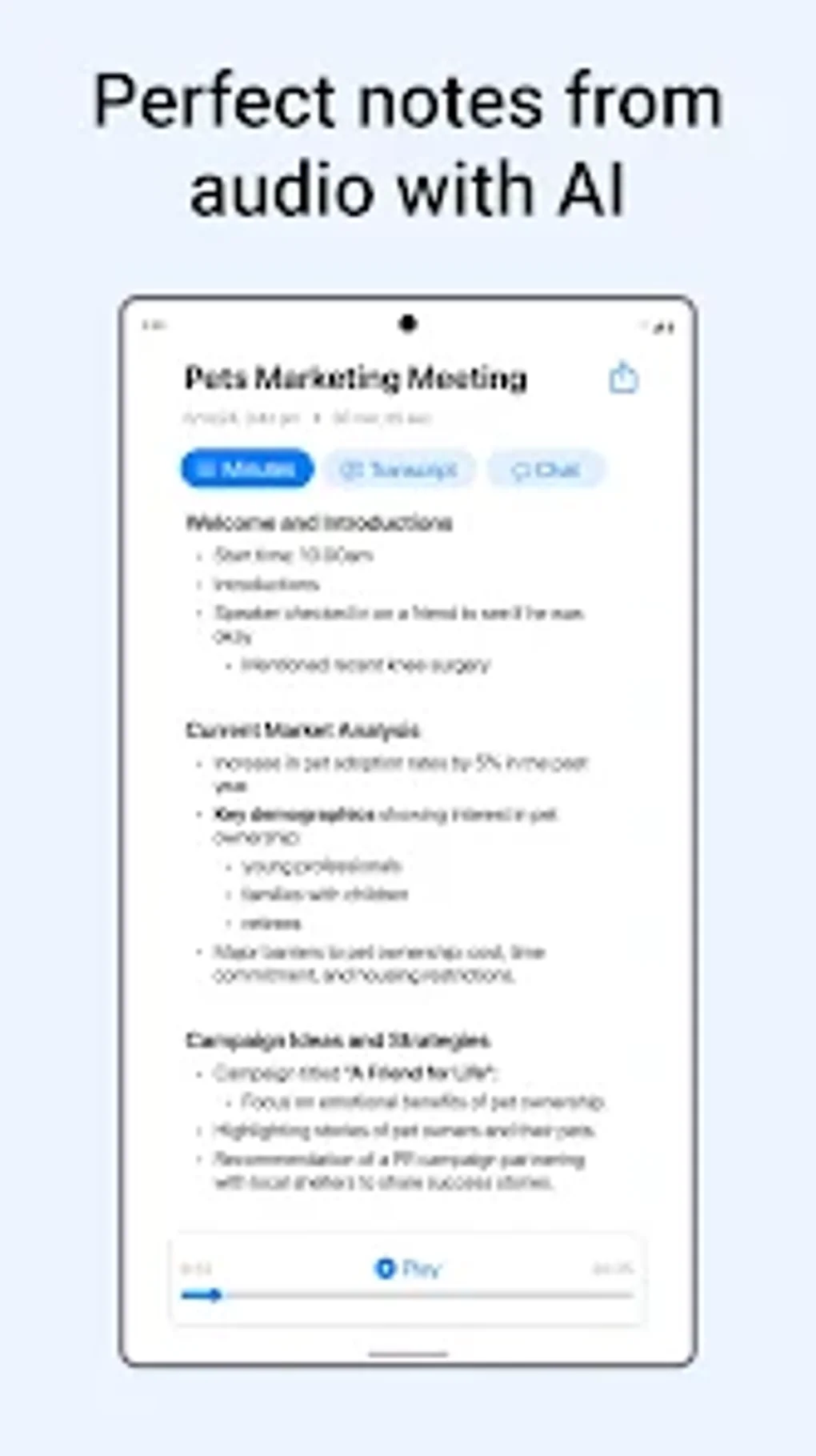
Modern meeting note taking software leverages artificial intelligence to transform raw conversations into structured, actionable insights. Advanced platforms analyze meeting content to identify key decisions, extract action items automatically, and even suggest follow-up meetings based on unresolved topics. This intelligence layer reduces the manual effort required to convert discussions into organized documentation.
Some solutions now offer sentiment analysis that tracks team morale and engagement levels across meetings, providing valuable insights for leadership. AI-powered summary generation creates concise overviews that help participants quickly review key points without reading full transcripts.
Machine learning capabilities improve over time, learning organizational terminology, common meeting patterns, and individual communication styles to provide increasingly accurate automated features.
Advanced Security and Compliance Features
Enterprise-grade security becomes crucial when meeting notes contain sensitive business information, client details, or strategic discussions. Leading platforms offer end-to-end encryption, granular access controls, and audit trails that track who accessed what information and when. These features are essential for organizations in regulated industries or those handling confidential client information.
Compliance features include data residency controls, retention policies, and integration with enterprise security systems like single sign-on (SSO) and multi-factor authentication. Some platforms provide specialized compliance packages for industries like healthcare (HIPAA), finance (SOX), or legal services.
Advanced backup and disaster recovery capabilities ensure that critical meeting documentation remains accessible even during system outages or security incidents.
Analytics and Performance Insights
Data-driven insights from meeting patterns help organizations optimize their collaboration effectiveness. Advanced analytics features track metrics like meeting frequency, duration trends, participant engagement levels, and action item completion rates. This information reveals opportunities to improve meeting efficiency and team productivity.
Some platforms provide individual and team dashboards that show personal meeting loads, contribution patterns, and follow-through effectiveness. These insights help managers identify overloaded team members, improve meeting distribution, and recognize high-performing collaborators.
Trend analysis over time reveals whether process improvements are working and highlights areas needing additional attention or training.
Cost-Benefit Analysis and ROI Calculations
Quantifying Meeting Documentation Inefficiencies
Calculating the true cost of poor meeting documentation requires examining both direct and indirect productivity impacts. Direct costs include time spent clarifying unclear notes, searching for meeting information, and repeating discussions due to poor documentation. A typical knowledge worker spends 2.5 hours weekly on these activities, representing approximately $3,250 annually in lost productivity per employee.
Indirect costs prove even more significant, including missed deadlines from forgotten action items, duplicated work from unclear assignments, and reduced client satisfaction from inconsistent communication. Organizations with 50+ employees commonly lose $150,000-$300,000 annually from meeting documentation inefficiencies.
Factor in opportunity costs from delayed decision-making and reduced innovation when teams spend time on administrative tasks rather than strategic work. These hidden costs often exceed direct productivity losses by 2-3x.
ROI Calculation Framework
A structured approach to measuring meeting note taking software ROI considers both quantitative savings and qualitative improvements. Calculate time savings from automated transcription, faster information retrieval, and reduced meeting preparation time. Most organizations see 15-25% reduction in meeting-related administrative work within three months of implementation.
Measure improved accountability through action item completion rates, project timeline adherence, and reduced meeting follow-up communications. Quality software typically improves action item completion by 30-40% while reducing follow-up meeting frequency by 20%.
Include soft benefits like improved team satisfaction, reduced stress from forgotten commitments, and enhanced client relationships from better communication consistency. While harder to quantify, these factors contribute significantly to long-term organizational success.
Budget Planning and Cost Optimization
Strategic budget planning ensures meeting note taking software delivers maximum value within financial constraints. Consider total cost of ownership including software licenses, training time, integration costs, and ongoing support. Most platforms range from $8-$25 per user monthly, with enterprise solutions requiring additional setup and customization fees.
Evaluate pricing models carefully – per-user pricing works well for small teams, while enterprise licensing may be more cost-effective for larger organizations. Some platforms offer usage-based pricing that aligns costs with actual meeting volume.
Plan for gradual rollout to spread costs over time while building internal expertise. Starting with high-impact departments demonstrates value before organization-wide investment.
FAQ
Q: How do I choose the best meeting note taking software for my team size and budget?
Start by assessing your team’s primary pain points and meeting frequency. Teams under 10 people often succeed with simpler solutions like Google Docs or basic Notion setups, while larger organizations benefit from enterprise platforms with advanced collaboration features. Budget $10-20 per user monthly for quality solutions with essential features like real-time collaboration and basic task management.
Q: What are the essential features I should prioritize when evaluating different platforms?
Focus on real-time collaboration, reliable search functionality, and action item tracking as non-negotiable features. Audio transcription becomes crucial for teams conducting many verbal meetings, while integration capabilities matter most for organizations using multiple productivity tools. Evaluate user interface simplicity since complex platforms often face adoption resistance regardless of their advanced capabilities.
Q: How long does it typically take for teams to fully adopt new meeting note taking software?
Most teams achieve basic adoption within 2-4 weeks with proper training and change management. Full utilization of advanced features typically takes 2-3 months as users become comfortable with workflows and discover optimization opportunities. Consistent leadership support and designated champions accelerate adoption timelines significantly.
Q: Can meeting note taking software integrate with our existing project management and CRM systems?
Leading platforms offer extensive integration capabilities with popular tools like Asana, Salesforce, Slack, and Microsoft Teams. Check specific integration requirements during evaluation since some connections require premium plans or custom development. API availability enables custom integrations for organizations with specialized tool stacks.
Q: What security measures should I look for when handling sensitive meeting information?
Prioritize end-to-end encryption, granular access controls, and audit trail capabilities for sensitive business discussions. Enterprise organizations need SSO integration, data residency controls, and compliance certifications relevant to their industry. Regular security audits and backup procedures protect against data loss and unauthorized access.
Q: How do AI-powered transcription features compare to manual note-taking in terms of accuracy?
Quality AI transcription achieves 90-95% accuracy in clear audio conditions, significantly outperforming manual note-taking for capturing complete discussions. However, human oversight remains important for context interpretation, action item identification, and handling technical terminology. Hybrid approaches combining AI transcription with human review deliver optimal results.
Q: What are the most common implementation mistakes that reduce software adoption success?
Insufficient training and lack of standardized processes cause most implementation failures. Organizations often underestimate change management requirements or fail to address workflow integration concerns. Skipping pilot programs, choosing overly complex solutions for team needs, and neglecting ongoing support also contribute to poor adoption rates.
Q: How can I measure the ROI and success of implementing meeting note taking software?
Track quantitative metrics like time spent on meeting follow-up, action item completion rates, and information retrieval speed. Measure qualitative improvements through team satisfaction surveys and client feedback on communication consistency. Calculate cost savings from reduced meeting duration and eliminated repeated discussions to demonstrate financial impact.
Q: What’s the difference between free and paid meeting note taking software options?
Free solutions typically limit collaboration features, storage capacity, and integration capabilities while paid platforms offer unlimited usage, advanced AI features, and enterprise security. Free options work for individual use or very small teams, but growing organizations quickly outgrow basic functionality and need paid solutions for effective collaboration.
Q: How do these tools handle different meeting formats like video calls, in-person meetings, and hybrid sessions?
Modern platforms support multiple meeting formats through various input methods including direct integration with video conferencing tools, mobile apps for in-person capture, and web interfaces for hybrid sessions. Cloud synchronization ensures consistent access regardless of meeting format, while AI features adapt to different audio quality conditions.
Q: What training resources are typically available for new users learning meeting note taking software?
Most platforms provide comprehensive onboarding including video tutorials, template libraries, and interactive guides. Premium plans often include live training sessions, dedicated customer success managers, and customized workflow consulting. Community forums and knowledge bases offer ongoing support for advanced use cases and troubleshooting.
Q: How do meeting note taking tools help with remote team collaboration and communication?
These platforms bridge communication gaps in remote teams by providing centralized meeting documentation, asynchronous collaboration features, and comprehensive search capabilities. Time zone differences become less problematic when team members can access complete meeting records and contribute to discussions through comments and updates. Integration with communication tools maintains context across different platforms.
Conclusion
The transformation from chaotic, scattered meeting notes to organized, actionable documentation represents one of the most impactful productivity improvements modern teams can implement. Meeting note taking software doesn’t just digitize your notepad – it revolutionizes how organizations capture knowledge, maintain accountability, and drive project momentum through structured collaboration.
The evidence is compelling: teams using dedicated meeting documentation platforms see 30-40% improvement in action item completion, 25% reduction in meeting follow-up time, and significant decreases in missed deadlines and repeated discussions. These improvements translate directly to bottom-line impact through enhanced productivity and reduced operational friction.
- Start with pilot programs in meeting-heavy departments to demonstrate value and build internal advocacy
- Prioritize integration capabilities with existing tools to create seamless workflows rather than additional administrative burden
- Invest in proper training and change management since technical features mean nothing without user adoption
- Measure both quantitative and qualitative improvements to justify investment and guide optimization efforts
The future of meeting documentation continues evolving with AI-powered insights, predictive analytics, and deeper integration with business intelligence systems. Organizations implementing robust meeting note taking software today position themselves to leverage these advancing capabilities while building the collaborative foundations essential for remote and hybrid work success.
Partner with Quiknote for Success
The comprehensive strategies and tool evaluations covered in this guide highlight the complexity of selecting and implementing effective meeting note taking software for your organization. From assessing collaboration requirements and integration capabilities to managing change adoption and measuring ROI, successful deployment requires expertise across technology evaluation, workflow optimization, and team dynamics.
Quiknote specializes in helping organizations navigate this complex landscape by providing hands-on consultation for software selection, customized implementation strategies, and ongoing optimization support. We handle everything from initial needs assessment and platform comparison through training program development and performance measurement frameworks. Our expertise in meeting workflow optimization, team collaboration best practices, and productivity tool integration ensures your investment delivers measurable results rather than becoming another underutilized software purchase.
Whether you’re evaluating AI-powered transcription platforms, enterprise collaboration solutions, or hybrid meeting documentation systems, our team provides the strategic guidance needed to transform your meeting culture and drive sustainable productivity improvements. Visit https://quiknote.app to discover how we can accelerate your meeting documentation transformation and help your team capture every critical decision, action item, and collaborative insight.