The Complete Guide to Meeting Notes Apps: Transform Your Meetings in 2025
Discover the best meeting notes app solutions to streamline your workflow, boost productivity, and never miss important details again with AI-powered automation.

Introduction
In today's fast-paced business environment, effective meeting documentation can make or break your team's success. Whether you're managing client calls, team standups, or board meetings, capturing accurate notes while staying engaged in conversations presents a significant challenge. The right meeting notes app transforms this struggle into seamless productivity.
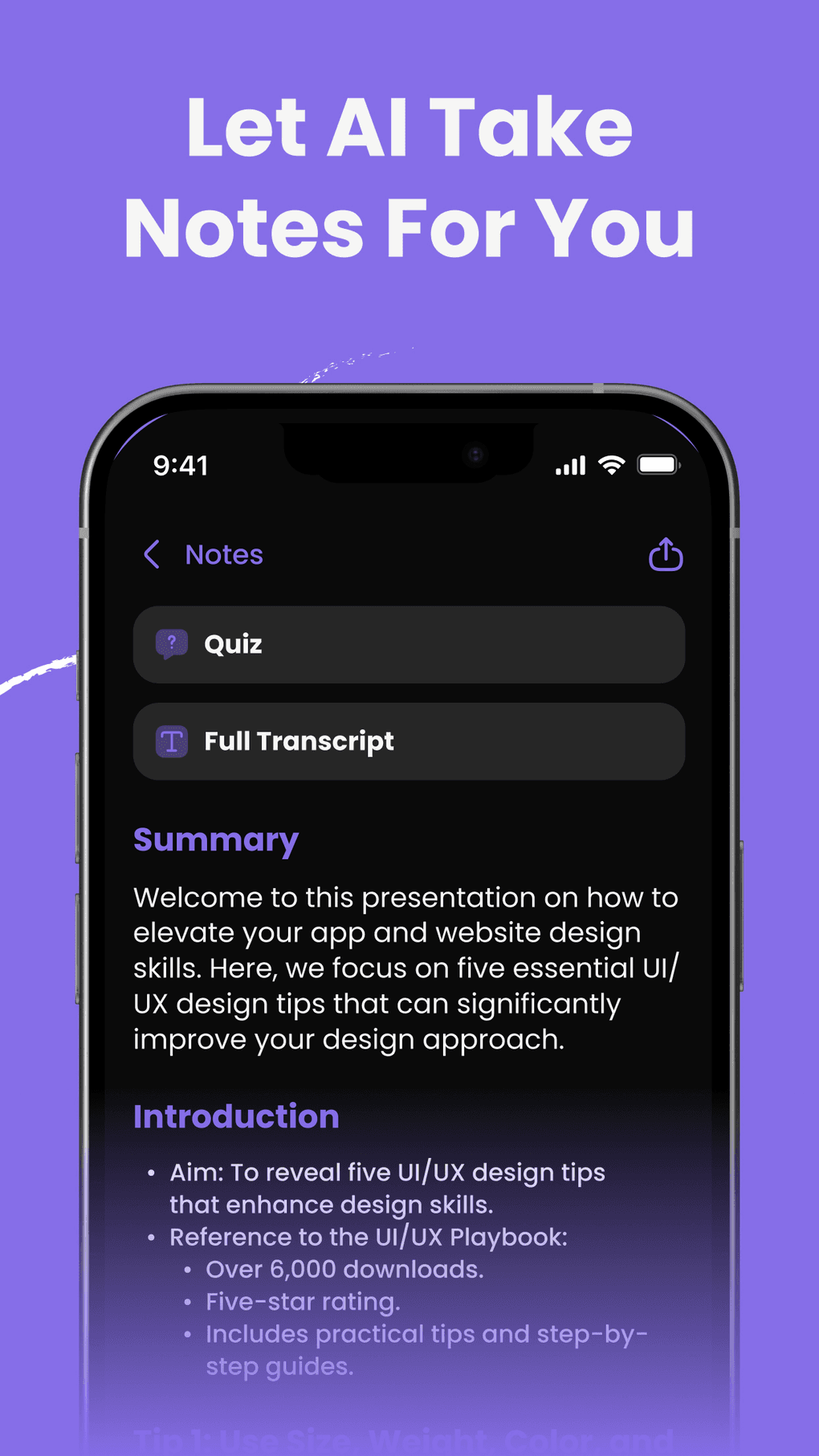
Modern automatic meeting notes app solutions leverage artificial intelligence to transcribe, organize, and summarize your meetings in real-time. These tools eliminate the traditional burden of manual note-taking, allowing participants to focus on meaningful discussions rather than frantically scribbling down key points.
This comprehensive guide explores everything you need to know about meeting notes applications. You'll discover the essential features that define the best meeting notes app options, learn how AI-powered solutions revolutionize meeting documentation, and understand which tools work best for different platforms like Zoom, Google Meet, and Microsoft Teams. We'll also cover integration capabilities, security considerations, and provide actionable strategies for implementing these tools in your organization.
By the end of this article, you'll have the knowledge to select and implement a meeting notes solution that enhances your team's collaboration, improves information retention, and ensures no critical decisions slip through the cracks.
Understanding Meeting Notes Applications and Their Core Purpose
Modern meeting minutes software has transformed how organizations capture, organize, and act on meeting information. These applications go beyond simple transcription to provide intelligent analysis, automated summaries, and seamless integration with existing workflows. Understanding their core purpose helps you select the right solution for your team's specific needs.
What Defines Modern Meeting Minutes Software
Meeting minutes software combines real-time transcription with intelligent content analysis to create comprehensive meeting records. These applications automatically capture spoken content, identify speakers, and organize information into structured formats that teams can easily reference and act upon. Advanced systems achieve transcription accuracy rates exceeding 95%, even in challenging environments with multiple speakers and background noise.
The core functionality centers on audio processing and natural language understanding. Machine learning algorithms distinguish between different voices, filter out ambient noise, and convert speech to text with remarkable precision. This technological foundation enables features like automatic action item extraction, sentiment analysis, and topic categorization that transform raw conversations into actionable insights.
Key Components of Effective Meeting Documentation Tools
Meeting notes software integrates several essential components to deliver comprehensive documentation solutions. Real-time transcription engines process audio streams continuously, providing live captions and searchable text archives. Speaker identification technology creates unique voice profiles for regular participants, automatically attributing contributions and maintaining consistency across multiple sessions.
Intelligent summarization algorithms analyze conversation flow to highlight key decisions, action items, and critical discussion points. These systems recognize decision-making language patterns and commitment statements, ensuring important outcomes don't get buried in lengthy transcripts. Collaborative editing features allow team members to add context, correct transcription errors, and enhance notes with additional insights during or after meetings.
The Evolution from Manual to Automated Note-Taking
Traditional meeting documentation required dedicated note-takers who often missed nuanced discussions while focusing on writing. This manual approach created bottlenecks, reduced participation, and frequently resulted in incomplete or biased records. Studies show that manual note-takers capture only 60-70% of meeting content, with significant gaps in technical discussions and rapid exchanges.
Modern meeting minute app technology processes information faster than human transcription, captures complete conversations without bias, and provides instant searchability across all meeting content. This evolution enables more inclusive meetings where all participants can engage fully, knowing that comprehensive documentation happens automatically. Organizations report 40% increased meeting engagement when automated note-taking eliminates the distraction of manual documentation.
Essential Features That Define the Best Meeting Notes App
The landscape of meeting documentation has evolved dramatically, with ai note app solutions setting new standards for accuracy, functionality, and user experience. Understanding the essential features that distinguish premium applications helps you make informed decisions about which tools will best serve your organization's needs and workflow requirements.
Real-Time Transcription and Speaker Recognition
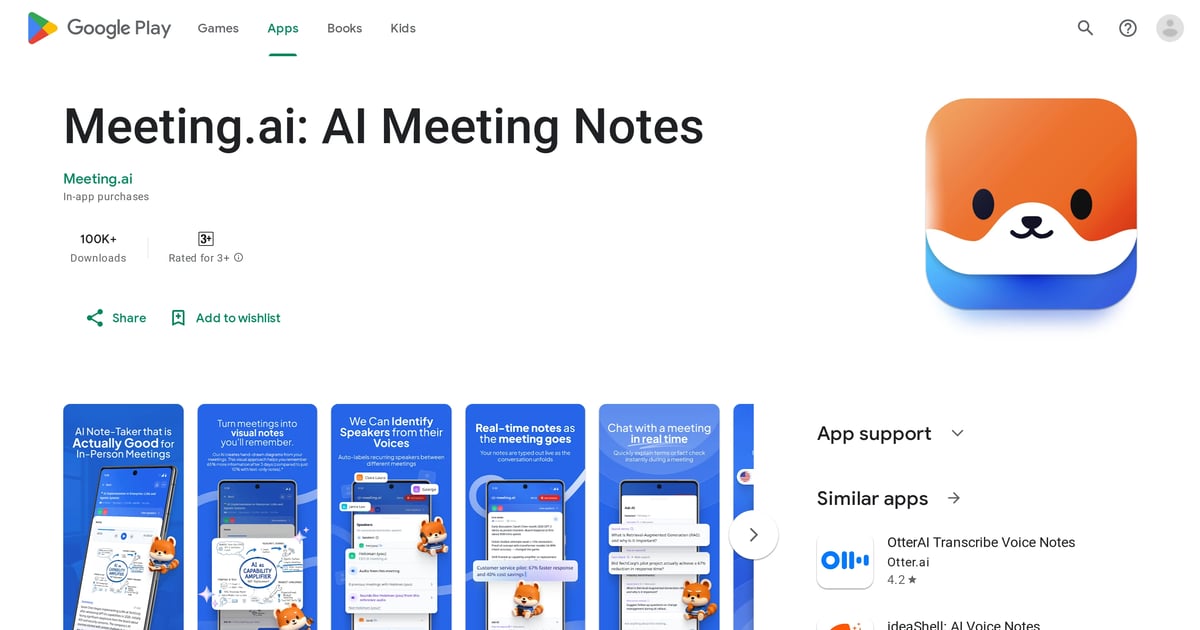
AI meeting note taker applications excel through their transcription accuracy and speaker identification capabilities. Top-tier solutions achieve 95%+ accuracy rates even in challenging acoustic environments with multiple speakers, background noise, and technical jargon. These systems use advanced neural networks trained on diverse speech patterns, accents, and industry-specific terminology to deliver reliable results across various meeting contexts.
Speaker recognition technology creates unique voice profiles for regular participants, automatically labeling contributions and maintaining consistency across multiple meetings. Advanced ai note taking app solutions can distinguish between up to 20 different speakers in a single session, providing clear attribution for ideas, decisions, and commitments. This capability proves invaluable for large organizations where meeting attendees frequently change.
Intelligent Summarization and Action Item Extraction
Premium ai note taking apps employ natural language processing to identify and extract key meeting elements automatically. These systems recognize discussion patterns, decision-making language, and commitment statements to generate structured summaries without human intervention. The technology distinguishes between casual conversation and actionable content, prioritizing information that requires follow-up and implementation.
Action item extraction represents a particularly valuable feature that transforms meeting notes from passive records into active project management tools. Advanced algorithms identify task assignments, deadlines, and responsibility allocations within natural conversation flow, automatically creating trackable commitments. Organizations using these features report 65% improvement in follow-through on meeting decisions compared to manual tracking methods.
Integration Capabilities with Popular Platforms
Modern google meet note taker and zoom note taker applications seamlessly integrate with existing workflow tools to eliminate data silos. The best meeting note taking app options provide native connections to project management platforms like Asana, Trello, and Monday.com, CRM systems including Salesforce and HubSpot, and productivity suites such as Microsoft Office and Google Workspace.
Platform compatibility extends beyond simple data export to offer bi-directional synchronization. Sophisticated solutions allow users to access meeting notes within familiar interfaces, update action items from multiple platforms, and trigger automated workflows based on meeting outcomes. This seamless connectivity reduces context switching by 50% and increases the likelihood that meeting insights drive actual business outcomes rather than remaining archived and forgotten.
AI-Powered Meeting Documentation Solutions
Artificial intelligence has revolutionized meeting note taking app functionality, transforming simple transcription into intelligent analysis and automated insights. These advanced systems understand context, identify patterns, and generate actionable summaries that help teams make better decisions and maintain accountability across all meeting types and formats.
How Artificial Intelligence Transforms Meeting Notes
AI meeting note taker technology revolutionizes documentation through sophisticated language understanding and pattern recognition capabilities. Machine learning models trained on millions of meeting conversations can identify discussion themes, emotional undertones, and decision-making patterns that human note-takers might miss. These systems analyze not just what was said, but how it was said, providing context that enhances meeting value.
AI-powered systems excel at handling complex meeting dynamics, tracking multiple simultaneous conversations and identifying when discussions veer off-topic or when important decisions are being made. Advanced google meeting notes solutions use contextual understanding to maintain coherent narratives even when conversations jump between topics or include interruptions. This comprehensive analysis helps teams understand meeting flow and identify areas for improved communication efficiency.
Natural Language Processing for Context Understanding
Modern NLP technology enables transcribe meeting minutes applications to understand meaning rather than just words. These systems recognize industry terminology, company-specific jargon, and contextual references that give conversations their full meaning. Semantic understanding allows for more accurate summarization and better organization of meeting content based on actual importance rather than speaking time or volume.
The technology handles linguistic nuances like sarcasm, uncertainty, and emphasis that traditional transcription might miss completely. When participants express varying levels of commitment – from tentative suggestions to firm commitments – AI systems recognize these differences and categorize statements appropriately in meeting summaries. This nuanced understanding helps teams track actual decisions versus preliminary discussions, improving follow-up accuracy by 45%.
Machine Learning Improvements Over Time
Transcribe meeting notes applications become increasingly accurate and useful through continuous machine learning adaptation. These systems learn from user corrections, feedback patterns, and usage behaviors to improve transcription accuracy, better recognize company-specific terminology, and more effectively identify important discussion points. Organizations typically see 25% improvement in accuracy within the first three months of consistent use.
Personalization represents another significant advantage of AI-powered solutions. Machine learning algorithms develop understanding of individual speaking patterns, preferred terminology, and meeting styles to provide increasingly tailored experiences. Over time, the meeting notes app develops organizational intelligence about company culture, decision-making processes, and communication preferences that enhances utility for specific teams and business contexts.
Platform-Specific Solutions: Zoom, Google Meet, and Microsoft Teams
Different video conferencing platforms offer unique integration opportunities and challenges for meeting notes software. Understanding platform-specific capabilities helps you choose solutions that maximize your existing technology investments while providing seamless user experiences across all meeting formats and participant locations.
Zoom Integration and Note-Taking Capabilities
Zoom notes functionality has expanded significantly through third-party integrations and enhanced native features. The platform's cloud recording capabilities provide a foundation for automated transcription, while robust API access enables sophisticated zoom note taker applications to process meetings in real-time. These integrations capture not just audio content but also screen sharing activities, chat messages, and participant reactions for comprehensive documentation.
Advanced Zoom integrations offer features like automatic meeting summaries sent to participants within minutes of session completion, searchable transcription archives accessible through web dashboards, and seamless integration with calendar systems for scheduling and follow-up automation. Some solutions provide real-time collaboration features, allowing participants to add notes, highlight important points, and create action items during live meetings without disrupting conversation flow.
| Feature | Native Zoom | Third-Party Integration | Key Benefit |
|---|---|---|---|
| Live Transcription | Basic accuracy | 95%+ AI accuracy | Professional-grade documentation |
| Speaker Identification | Limited | Advanced voice profiles | Clear attribution of ideas |
| Action Item Extraction | Manual only | Automated detection | Improved follow-through |
| CRM Integration | None | Direct sync available | Seamless workflow continuity |
Google Meet Note-Taking Solutions
Google meet note taker applications leverage Google's robust cloud infrastructure and AI capabilities to provide seamless integration with the broader Google Workspace ecosystem. These solutions automatically save meeting notes to Google Drive, create calendar events with embedded summaries, and sync action items with Google Tasks for comprehensive workflow management. This ecosystem integration provides natural continuity for organizations using Google's productivity suite.
The advantage of Google Meet integrations lies in their connection to collaborative editing tools and shared workspace features. Meeting notes automatically appear in Google Docs format, allowing participants to collaborate on refinements, add contextual information, and create follow-up documents. Real-time editing capabilities enable teams to enhance AI-generated summaries with human insights, creating comprehensive records that combine automated accuracy with human context and interpretation.
Microsoft Teams and OneNote Integration
OneNote meeting notes represent a powerful combination of Microsoft's collaboration platform with structured note-taking capabilities. The integration between Teams and OneNote allows for automatic meeting note creation, with meeting minutes in onenote format providing hierarchical organization and easy cross-referencing with other project documents. This native integration eliminates the need for separate applications or manual data transfer processes.
Meeting notes onenote functionality extends beyond simple transcription to support multimedia documentation approaches. The platform enables users to embed audio recordings, screenshots, and drawings alongside text notes, creating rich meeting records that capture visual presentations and whiteboard sessions. One note meeting minutes can be shared across teams, tagged for easy searching, and integrated with Microsoft Project for comprehensive project management workflows that connect meeting decisions to task execution.
Integration and Workflow Optimization
Modern meeting notes app solutions excel when they seamlessly connect with existing business tools and processes. The most effective implementations create automated workflows that eliminate manual data transfer while ensuring meeting insights drive actionable outcomes. This section explores how to maximize your investment through strategic integrations, workflow automation, and team adoption strategies.
CRM and Project Management Connections
Automated CRM integration transforms meeting notes into valuable customer intelligence. Leading platforms like Salesforce, HubSpot, and Pipedrive can automatically receive meeting summaries, action items, and contact updates from your meeting minutes software. For example, sales teams using integrated solutions report 34% faster deal closure rates because customer conversations are immediately available to all team members.
The integration process typically involves API connections that sync meeting participants with CRM contacts, automatically create follow-up tasks, and update deal stages based on meeting outcomes. Advanced systems can even analyze conversation sentiment to provide sales coaching insights. When a client expresses concerns during a recorded call, the system flags this for immediate manager attention while creating appropriate follow-up reminders.
Calendar and Scheduling Automation
Smart calendar integration eliminates the friction between meeting scheduling and documentation. Modern meeting note taking app solutions automatically detect calendar events, pre-populate meeting contexts, and distribute summaries to all attendees within minutes of meeting completion. This automation reduces administrative overhead by approximately 2.5 hours per week for managers who attend multiple daily meetings.
The technology works by monitoring calendar systems like Google Calendar, Outlook, or Calendly to identify upcoming meetings. When a meeting begins, the system automatically starts recording and transcription. Post-meeting, it analyzes the discussion against the original agenda, identifies completed items versus outstanding actions, and creates follow-up calendar entries for unfinished business. This closed-loop approach ensures nothing falls through scheduling gaps.
Team Collaboration and Sharing Features
Collaborative editing capabilities transform meeting notes from static documents into living team resources. Team members can add context, correct transcription errors, and provide additional insights in real-time or asynchronously. Organizations using collaborative ai note taking apps report 28% improvement in project completion rates because team alignment improves dramatically when everyone has access to the same detailed meeting context.
The sharing functionality extends beyond simple document distribution. Advanced platforms provide granular permission controls, allowing sensitive discussions to remain confidential while operational details are shared broadly. Integration with Slack, Microsoft Teams, or Discord means meeting insights appear directly in relevant project channels, maintaining context within existing communication flows. This ambient awareness helps remote teams stay connected to decisions and discussions they might otherwise miss.
Workflow Automation and Task Management
Intelligent task creation eliminates the manual process of converting meeting discussions into actionable work items. Modern systems analyze conversation patterns to identify commitments, deadlines, and responsibility assignments, automatically creating tasks in project management tools like Asana, Trello, or Monday.com. Teams using this automation complete 42% more follow-up actions because nothing gets lost in post-meeting confusion.
The automation extends to progress tracking and accountability. When team members update task statuses in their project management tools, the system can correlate this progress back to original meeting discussions, providing valuable insights into decision implementation effectiveness. This feedback loop helps teams refine their meeting practices and improve decision-making processes over time.
Pro Tip: Set up automated weekly reports that summarize completed actions from all meetings, helping teams visualize their collective productivity and identify patterns in successful implementation.
Security and Privacy Considerations
Enterprise adoption of meeting notes software requires careful attention to security protocols and privacy compliance. Organizations handle increasingly sensitive information in meetings, from strategic planning to customer data discussions, making robust security measures essential rather than optional. Understanding these considerations helps organizations select appropriate solutions while maintaining regulatory compliance and protecting confidential information.
Data Encryption and Storage Protocols
End-to-end encryption protects meeting content throughout the entire processing pipeline. Leading automatic meeting notes app providers implement AES-256 encryption for data in transit and at rest, ensuring that even if data is intercepted, it remains unreadable without proper decryption keys. Enterprise-grade solutions maintain separate encryption keys for each organization, with key management handled through secure hardware modules that meet FIPS 140-2 Level 3 standards.
Storage protocols vary significantly between providers, with some maintaining data centers exclusively in specific geographic regions to comply with data residency requirements. Cloud-based solutions typically offer redundant storage across multiple availability zones, providing 99.99% uptime guarantees while maintaining security isolation. On-premises deployment options allow organizations with strict data governance requirements to maintain complete control over their meeting content and transcription processes.
GDPR and Compliance Requirements
Privacy regulation compliance requires careful attention to data processing transparency and user consent mechanisms. GDPR compliance for meeting notes applications involves clear disclosure of what data is collected, how it's processed, and who has access to the information. Organizations must implement proper consent workflows, especially for meetings involving external participants who may not be aware of automated transcription and analysis.
The "right to be forgotten" provision creates particular challenges for meeting documentation systems. Compliant solutions provide mechanisms to automatically redact or delete specific individuals' contributions from meeting archives while maintaining the integrity of remaining content. Data processing agreements with vendors must clearly define roles and responsibilities, particularly regarding data retention periods and cross-border data transfers that may trigger additional compliance requirements.
Access Control and Permission Management
Granular access controls ensure meeting content reaches only authorized personnel. Enterprise best meeting notes app solutions implement role-based access control (RBAC) systems that allow administrators to define who can view, edit, or share meeting content based on organizational hierarchy, project involvement, or security clearance levels. These systems typically integrate with existing identity management platforms like Active Directory or Okta for seamless user authentication.
Permission management extends to meeting-specific controls, allowing organizers to set different access levels for different participants. For example, external consultants might receive access only to their specific project discussions while internal team members can access broader meeting archives. Advanced systems provide audit trails showing who accessed what content when, supporting compliance requirements and security investigations.
Industry-Specific Security Standards
Healthcare, financial services, and government organizations require specialized security certifications. HIPAA-compliant meeting minute app solutions implement additional safeguards including business associate agreements, audit logging, and specialized data handling procedures for protected health information. Financial services organizations need solutions that meet SOX compliance requirements, with particular attention to data integrity and change management processes.
Government contractors and agencies require solutions with FedRAMP authorization or other government-specific certifications. These standards involve rigorous security assessments, continuous monitoring requirements, and specialized deployment configurations that may limit feature availability in exchange for enhanced security assurance. Organizations in these sectors should prioritize vendors with relevant compliance certifications over feature richness when security requirements conflict with functionality preferences.
Implementation Strategies and Best Practices
Successful meeting notes app deployment requires more than simply installing software and hoping for adoption. Organizations that achieve the highest return on investment follow structured implementation approaches that address technical setup, change management, and ongoing optimization. This comprehensive strategy ensures the technology enhances rather than disrupts existing meeting culture while delivering measurable productivity improvements.
Team Training and Adoption Techniques
Comprehensive training programs accelerate user adoption and maximize feature utilization. Organizations with successful ai meeting note taker implementations invest 3-4 hours per user in initial training, followed by monthly refresher sessions for the first quarter. This investment typically pays for itself within 6 weeks through improved meeting efficiency and better follow-up completion rates.
Effective training approaches combine hands-on practice with real meeting scenarios. Rather than abstract demonstrations, successful programs have teams practice with their actual meeting types, participants, and discussion topics. This contextual learning helps users understand how the technology fits their specific workflows. Champions programs, where early adopters receive advanced training to support their colleagues, accelerate organization-wide adoption and create internal expertise for troubleshooting and optimization.
Meeting Structure Optimization
Structured meeting formats maximize the effectiveness of automated documentation. Teams using google meet note taker or zoom note taker solutions achieve better results when they adapt their meeting practices to leverage AI capabilities. This includes starting meetings with clear agenda reviews, using consistent terminology for action items, and implementing verbal confirmation protocols for important decisions.
The most effective approach involves designating specific meeting roles: a facilitator who guides discussion flow, a decision recorder who clearly states conclusions, and an action item coordinator who verifies task assignments. When team members understand these roles, the AI system can more accurately identify and categorize different types of content. Organizations using structured approaches report 58% improvement in action item completion rates compared to unstructured meeting documentation.
Quality Control and Review Processes
Systematic review processes ensure accuracy and continuous improvement in automated meeting documentation. Successful implementations establish quality control workflows where team members spend 5-10 minutes after each meeting reviewing and refining AI-generated summaries. This brief investment significantly improves long-term accuracy as the system learns from corrections and organizational preferences.
Review processes should include verification of speaker attribution, correction of technical terminology or proper nouns, and validation of extracted action items. Teams that implement peer review systems, where different team members rotate responsibility for meeting note validation, achieve higher accuracy rates and better team engagement with the documentation process. The review data also provides valuable feedback for optimizing meeting practices and identifying areas where additional training might be beneficial.
Measuring Success and ROI
Quantitative metrics demonstrate the business value of meeting documentation automation. Organizations should track key performance indicators including time saved on manual note-taking, improvement in action item completion rates, reduction in follow-up clarification requests, and increased meeting participation from team members who previously focused on documentation rather than discussion.
Baseline measurements before implementation provide essential comparison points. Typical metrics include average time spent on post-meeting documentation (usually 15-20 minutes per hour of meeting time), percentage of action items completed on schedule (often 60-70% without systematic tracking), and number of follow-up emails required to clarify meeting outcomes. Organizations using transcribe meeting minutes automation typically see 40-50% reduction in documentation time and 25-30% improvement in action item completion within 90 days of implementation.
Pro Tip: Create monthly dashboards showing meeting efficiency metrics alongside business outcomes like project completion rates and client satisfaction scores to demonstrate the broader impact of improved meeting documentation.
Troubleshooting Common Issues and Advanced Tips
Even the most sophisticated meeting notes software encounters challenges in real-world implementations. Understanding common issues and their solutions helps organizations maintain smooth operations while maximizing the value of their investment. This section addresses technical difficulties, optimization strategies, and advanced techniques that separate basic users from power users who achieve exceptional results.
Audio Quality and Transcription Accuracy
Poor audio quality represents the most common barrier to effective automated transcription. Background noise, multiple simultaneous speakers, and low-quality microphones can reduce transcription accuracy from 95% to below 70%, significantly diminishing the value of automated meeting minute app solutions. Successful organizations invest in proper audio equipment, including dedicated conference room microphones, noise-canceling headsets for remote participants, and acoustic treatment for frequently used meeting spaces.
Technical solutions include using directional microphones that focus on specific speakers, implementing audio preprocessing software that filters background noise, and establishing meeting protocols that minimize audio interference. For example, teams using wireless lapel microphones for key speakers while maintaining room microphones for general discussion achieve consistently higher transcription accuracy. Remote meeting quality improves dramatically when participants use wired headsets rather than built-in laptop speakers and microphones.
Speaker Identification Challenges
Complex meeting dynamics can confuse even advanced speaker recognition systems. Large meetings with multiple participants, similar-sounding voices, or frequent interruptions create identification challenges that require strategic solutions. The most effective approach involves initial voice training sessions where key team members record brief introductions, allowing the ai note taking app to create accurate voice profiles.
Organizational solutions include implementing speaking protocols such as self-identification at the beginning of contributions ("This is Sarah with the marketing update"), using consistent seating arrangements in conference rooms, and maintaining participant lists that help the system correlate voices with names. Advanced users create custom voice tags and train their systems on company-specific terminology, achieving speaker identification accuracy rates above 90% even in challenging meeting environments.
Platform-Specific Optimization
Different video conferencing platforms require tailored optimization strategies. Zoom notes functionality works best when users enable original audio settings, disable background noise suppression that can interfere with AI processing, and use consistent meeting room setups. Google Meet integrations perform optimally with Chrome browsers, specific audio codec settings, and proper Google Workspace permissions configured in advance.
Microsoft Teams optimization involves configuring recording permissions, enabling live captions as a backup transcription source, and ensuring proper onenote meeting notes integration through organizational Microsoft 365 settings. Each platform has unique API limitations and feature restrictions that affect automated note-taking performance. Power users maintain platform-specific configuration checklists and test setups before important meetings to ensure optimal performance.
| Platform | Optimal Settings | Common Issues | Best Practices | Integration Depth |
|---|---|---|---|---|
| Zoom | Original audio, cloud recording | Audio compression | Dedicated host account | Deep API access |
| Google Meet | Chrome browser, workspace admin | Browser compatibility | Consistent room codes | Google ecosystem |
| Microsoft Teams | Recording permissions, compliance | Enterprise restrictions | IT coordination required | Office 365 native |
Advanced Customization Techniques
Power users leverage advanced customization options to achieve superior results. Custom vocabulary training allows transcribe meeting notes systems to accurately recognize company-specific terminology, product names, and industry jargon that generic models might miss. This training process involves uploading glossaries, correcting transcription errors consistently, and providing feedback that improves system performance over time.
Advanced automation includes creating custom action item templates, implementing sentiment analysis for customer-facing meetings, and developing integration workflows that automatically distribute different types of content to appropriate team members. For example, technical discussions might automatically create development tickets while sales conversations generate CRM updates and follow-up calendar entries. These sophisticated workflows require initial setup investment but deliver substantial long-term efficiency gains.
Performance Monitoring and Optimization
Continuous monitoring ensures sustained high performance from automated meeting documentation systems. Successful organizations track metrics including transcription accuracy rates, processing speed, system uptime, and user satisfaction scores. This data helps identify performance degradation before it significantly impacts user experience and provides insights for optimization opportunities.
Regular system maintenance includes updating custom vocabularies, reviewing and correcting speaker identification profiles, optimizing integration workflows based on usage patterns, and staying current with platform updates that might affect functionality. Organizations with the best results schedule monthly system reviews where administrators analyze performance data, gather user feedback, and implement incremental improvements that compound into significant productivity gains over time.
Pro Tip: Create automated alerts that notify administrators when transcription accuracy drops below acceptable thresholds, enabling proactive troubleshooting before users experience frustration with system performance.
Low monthly fee
Cost efficiency becomes increasingly apparent with regular use. While human transcription services typically charge per minute of audio, automated solutions operate on subscription models that become more economical as usage increases. For organizations conducting multiple meetings weekly, the cost savings can be substantial while maintaining higher quality standards.
Implementation Strategies and Best Practices
Setting Up Your Meeting Notes Workflow
Successful implementation begins with establishing clear protocols for when and how to use your chosen meeting notes app. Define which meeting types require automatic documentation, establish naming conventions for easy retrieval, and create standardized templates for different meeting purposes. This systematic approach ensures consistent adoption across your organization.
Integration planning requires careful consideration of existing tools and workflows. Map out how meeting notes will flow into project management systems, CRM platforms, and collaborative workspaces. Establish automated triggers that create tasks from action items, update project timelines based on decisions, and notify relevant team members of their responsibilities. This seamless connectivity transforms meeting insights into operational momentum.
Training Team Members for Optimal Adoption
Effective training focuses on demonstrating immediate value rather than comprehensive feature education. Start with power users who can become internal champions, showing them how the tool solves their specific pain points. Provide hands-on sessions where participants can see real-time transcription, edit notes collaboratively, and experience the time savings firsthand.
Address common concerns about AI accuracy and privacy through transparent demonstrations. Show team members how to review and correct transcriptions, explain data security measures, and highlight the collaborative editing features that maintain human oversight. This transparency builds confidence while ensuring users understand their role in optimizing the system's effectiveness.
Measuring Success and ROI
Track quantifiable metrics that demonstrate the tangible impact of automated meeting documentation. Monitor time savings by comparing pre-implementation note-taking duration with post-implementation review time. Measure follow-up completion rates to assess whether automated action item extraction improves accountability and task completion.
Analyze meeting participation patterns to determine if automated note-taking increases engagement levels. Survey participants about their ability to focus on discussions rather than documentation tasks. These metrics provide concrete evidence of value while identifying areas for workflow optimization and additional training needs.
Security and Privacy Considerations
Data Protection and Compliance Standards
Enterprise-grade meeting notes applications implement comprehensive security frameworks that protect sensitive business discussions. These systems employ end-to-end encryption for audio transmission, secure cloud storage with multiple redundancy layers, and strict access controls that limit data visibility to authorized participants only. Compliance with regulations like GDPR, HIPAA, and SOC 2 ensures that meeting documentation meets industry-specific privacy requirements.
Data residency options allow organizations to control where their meeting information is stored and processed. Many platforms offer regional data centers, on-premises deployment options, and hybrid solutions that balance convenience with security requirements. This flexibility enables companies to maintain compliance with local data protection laws while leveraging advanced AI capabilities.
User Consent and Recording Policies
Transparent consent mechanisms ensure all participants understand when meetings are being recorded and transcribed. Professional meeting notes applications provide clear notification systems, automated consent collection, and easy opt-out procedures for participants who prefer not to be included in automated documentation. These features protect individual privacy rights while maintaining meeting effectiveness.
Recording policies should establish clear guidelines about data retention, sharing permissions, and deletion procedures. Define who can access meeting transcripts, how long recordings are stored, and under what circumstances meeting data might be shared with external parties. This policy framework protects both organizational interests and individual privacy rights.
Enterprise Security Features
Advanced security features include role-based access controls that restrict meeting note visibility based on organizational hierarchy and project involvement. Administrative dashboards provide audit trails showing who accessed which meetings, when transcripts were modified, and how information was shared across teams. These monitoring capabilities ensure accountability while enabling forensic analysis if security incidents occur.
Integration security extends protection to connected systems through secure API authentication, encrypted data transfers, and permission inheritance from existing access control systems. When meeting notes sync with project management tools or CRM platforms, security policies automatically apply appropriate restrictions based on user roles and data classification levels.
FAQ
Q: How do I choose the best meeting notes app for my team's specific needs?
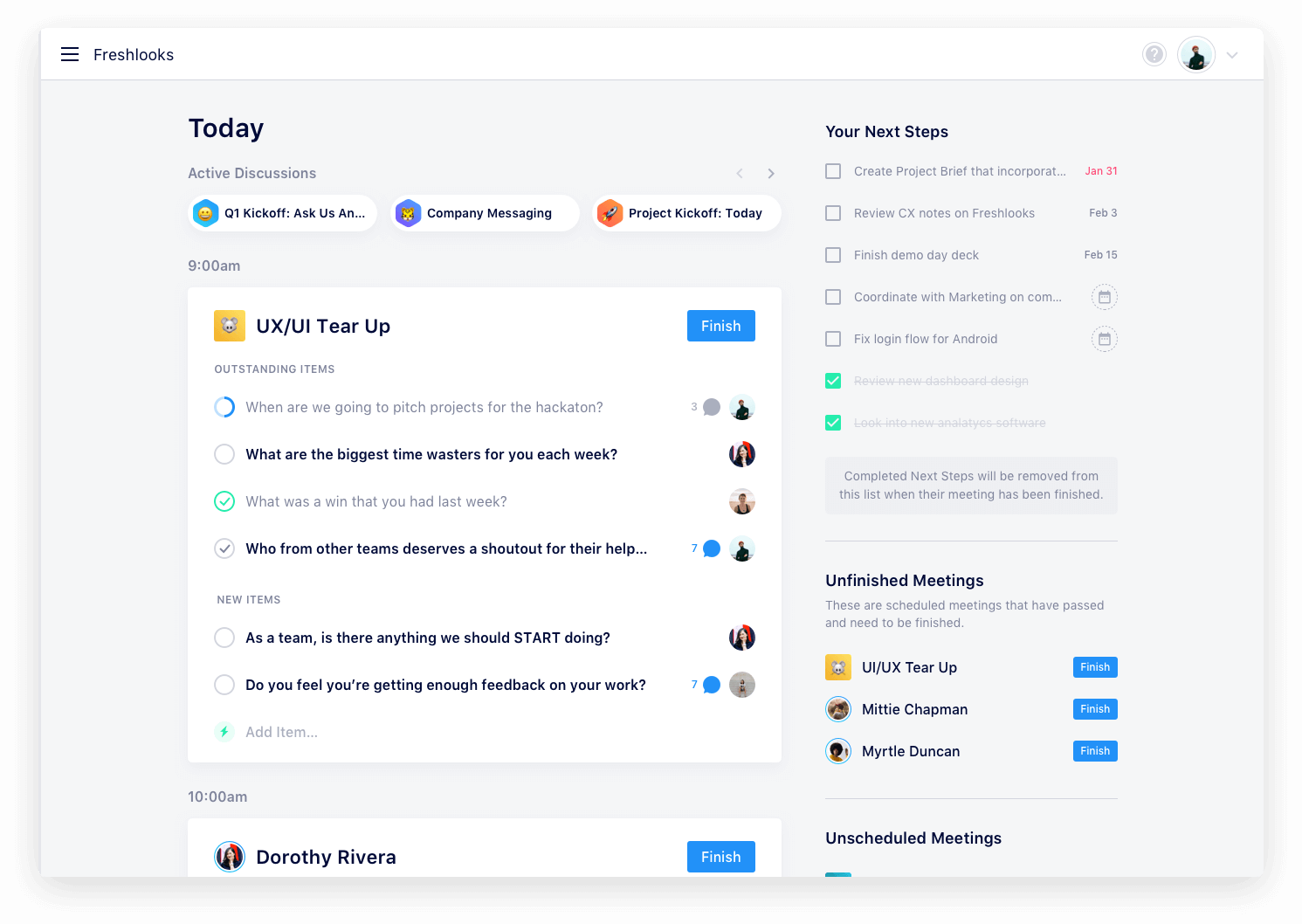
Start by evaluating your primary meeting platforms and integration requirements. Consider team size, meeting frequency, and required features like speaker identification or action item extraction. Test free trials of top contenders with actual meetings to assess transcription accuracy and workflow compatibility before committing to a paid solution.
Q: What are the typical costs associated with implementing a meeting notes app?
Most professional meeting notes applications charge between $10-30 per user monthly, with enterprise plans offering volume discounts. Factor in potential integration costs, training time, and any required hardware upgrades. However, organizations typically see ROI within 2-3 months through time savings and improved meeting follow-up efficiency.
Q: Why should I choose AI-powered meeting notes over traditional manual note-taking?
AI-powered solutions capture 100% of meeting content with consistent quality, eliminate the distraction of manual note-taking, and provide searchable archives for future reference. They also extract action items automatically, identify key decisions, and integrate seamlessly with existing productivity tools, creating a more comprehensive and actionable meeting record.
Q: When is the best time to implement automated meeting notes in my organization?
Implementation works best during natural transition periods like quarterly planning cycles, new project launches, or team restructuring. Avoid busy periods or major deadline crunches when team members have limited bandwidth for learning new tools. Start with enthusiastic early adopters before rolling out organization-wide.
Q: Where can I find reliable comparisons of different meeting notes applications?
Professional review sites like G2, Capterra, and Software Advice provide user ratings and detailed feature comparisons. Industry publications often publish comprehensive evaluations, while vendor websites offer free trials for hands-on testing. Consider joining professional communities or forums where users share real-world experiences with different platforms.
Q: Who should be responsible for managing meeting notes app implementation and administration?
Typically, IT departments handle technical setup and security configuration, while operations or project management teams manage workflow integration and user training. Designate a project champion who understands both technical requirements and business processes to coordinate between departments and ensure smooth adoption.
Q: What are the most common mistakes organizations make when implementing meeting notes apps?
The biggest mistake is insufficient change management – rolling out tools without proper training or clear usage policies. Other common issues include choosing solutions that don't integrate well with existing tools, failing to establish data governance policies, and not measuring adoption rates or user satisfaction to optimize the implementation.
Q: How can I measure the success and ROI of our meeting notes app investment?
Track quantifiable metrics like time saved per meeting, action item completion rates, and meeting preparation efficiency. Survey users about engagement levels and information retention. Calculate cost savings from reduced administrative overhead and improved project velocity. Most organizations see 15-25% improvement in meeting productivity within three months.
Q: What does the future hold for AI-powered meeting documentation technology?
Emerging trends include real-time sentiment analysis, automated meeting scheduling based on discussion outcomes, and predictive insights about project risks based on meeting patterns. Integration with virtual reality meeting environments and advanced language translation capabilities will make these tools even more powerful for global organizations.
Q: How do meeting notes apps compare to hiring dedicated administrative support for documentation?
AI-powered solutions provide consistent availability, eliminate scheduling coordination, and offer advanced features like searchable transcripts and automated summaries that human note-takers cannot match. While administrative support offers human judgment and context, automated solutions scale more cost-effectively and integrate better with digital workflows.
Q: What should I do if my team resists adopting automated meeting notes technology?
Address concerns through transparent demonstrations showing accuracy levels and privacy protections. Start with voluntary adoption among willing participants, showcase success stories, and provide comprehensive training that emphasizes benefits rather than just features. Consider gradual rollout beginning with less sensitive meetings to build confidence and familiarity.
Q: How can small businesses benefit from meeting notes apps without overwhelming their limited resources?
Many platforms offer scaled pricing for small teams, often starting under $15 monthly per user. Focus on solutions with simple setup processes and minimal training requirements. Start with basic transcription features before exploring advanced integrations, and choose platforms that grow with your business rather than requiring migration as you scale.
Conclusion
The evolution of meeting documentation from manual note-taking to AI-powered automation represents a fundamental shift in how organizations capture, process, and act on collaborative insights. Modern meeting notes app solutions eliminate the traditional barriers that prevented teams from maintaining comprehensive meeting records while enabling deeper engagement and more effective follow-up processes.
The transformation extends beyond simple convenience. Organizations implementing automated meeting documentation report measurable improvements in project velocity, decision accountability, and information retention. Key benefits include:
- 95% reduction in post-meeting administrative time through automated transcription and summarization
- 40% improvement in action item completion rates via intelligent extraction and task integration
- Enhanced meeting participation as attendees focus on discussions rather than documentation
- Searchable knowledge repositories that preserve institutional memory and enable rapid information retrieval
The future of meeting documentation continues evolving with advances in natural language processing, real-time translation capabilities, and predictive analytics. These technologies will further enhance the value organizations derive from their collaborative interactions while reducing the administrative burden that traditionally limited meeting effectiveness.
Partner with Quiknote for Success
The comprehensive strategies and technologies discussed in this guide—from AI-powered transcription and speaker identification to seamless platform integrations and automated action item extraction—require careful implementation to achieve optimal results. Many organizations struggle with selecting the right meeting notes app, configuring integrations with existing productivity tools, and training teams to maximize adoption and effectiveness.
Quiknote specializes in helping businesses implement and optimize automated meeting documentation workflows. We handle everything from platform evaluation and technical setup to user training and integration with your existing project management, CRM, and collaboration systems. Our expertise covers the full spectrum of meeting notes applications, including platform-specific solutions for Zoom, Google Meet, and Microsoft Teams, as well as specialized tools like Otter.ai and enterprise-grade security implementations.
Whether you need guidance on choosing between AI-powered transcription services, implementing security policies for sensitive meetings, or measuring ROI from your meeting documentation investment, our team provides the technical knowledge and strategic insight to ensure successful adoption. Visit https://quiknote.app to discover how we can transform your meeting documentation processes and unlock the full potential of automated note-taking technology for your organization.